Thank you for fundraising with LaunchGood this Ramadan. We are grateful to support you and the impact you have created for your community.
As our team takes a short Eid break, this guide will help you stay on track and continue managing your fundraiser with confidence.
TABLE OF CONTENTS
- Eid break and support
- When will I receive my funds?
- How can I edit or extend my fundraiser?
- Where can I view reports and data?
- How do tax receipts work for donors?
- Why do I see fees on my fundraiser?
- Where can I see boosts, prizes, or match funds?
- I purchased Ramadan Ads. What happens next?
- Continue your impact with Dhul Hijjah
- Stay updated
- Need more help?
Eid break and support
Our team will be on Eid break until Monday, March 30, 2026.
- For urgent requests, you can still reach us at support@launchgood.com
- Full support will resume after March 30, inshaAllah
We appreciate your understanding during this time, and we are here to support you every step of the way.
When will I receive my funds?
During Ramadan, payouts are processed twice a month.
- The first payout cycle has already been released
- The next payout cycle will begin on Wednesday, March 25, 2026
Once processed:
- Funds can take up to 10 working days to reach your account
- You will receive a payment confirmation email
- In some cases, additional documents may be required before funds are released
To learn more or check your payout status, you may check out : How to request a payout and check your payout status
How can I edit or extend my fundraiser?
You can manage your fundraiser directly from your fundraiser page.
- Make sure you are logged in on LaunchGood.com/login.
- Open your fundraiser page.
- Use the Edit button or menu at the top of the page
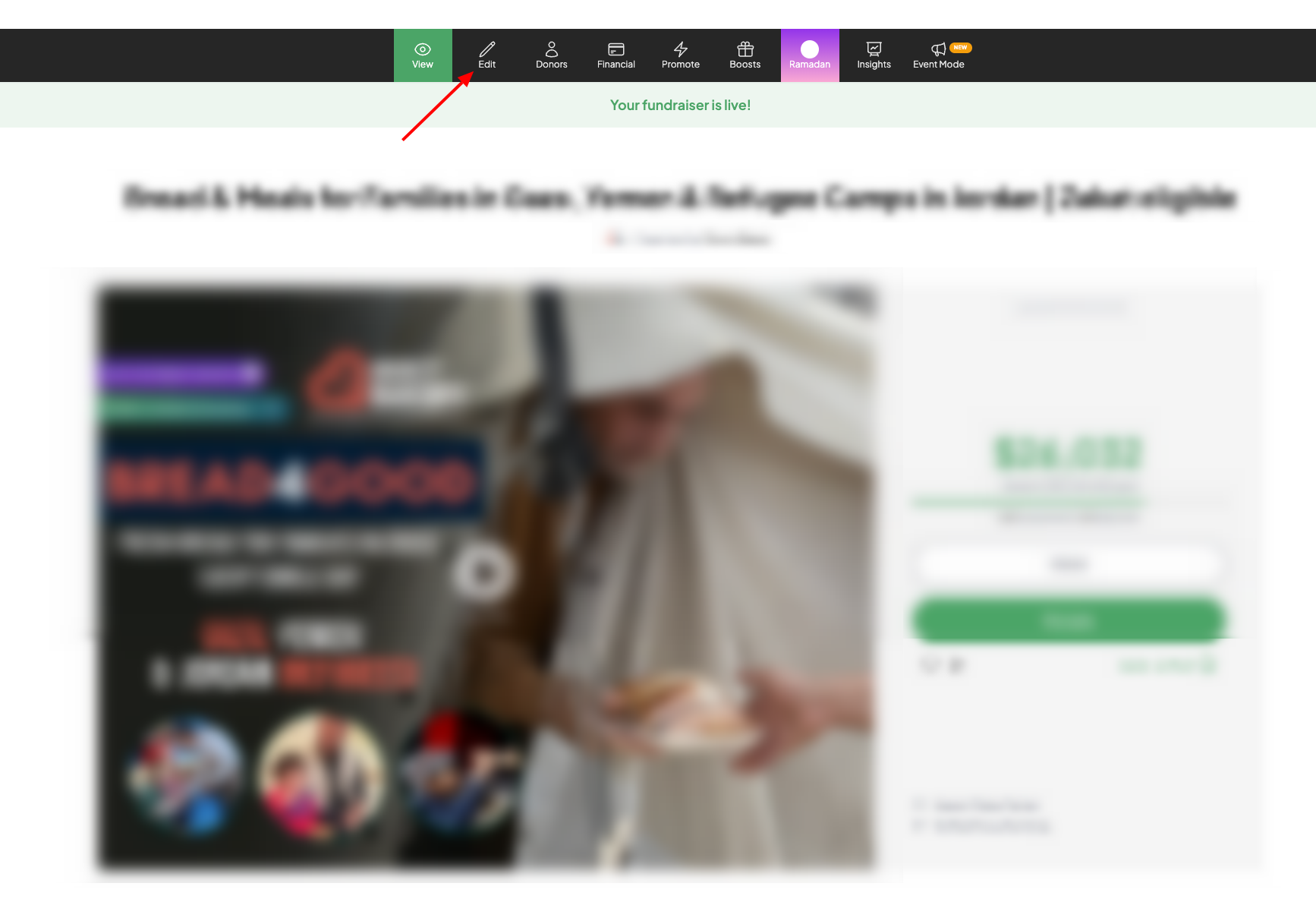
From there, you can update details or extend your fundraiser.
Note: You can only extend a fundraiser while it is still live. To continue fundraising, you can create a new one at LaunchGood.com/create, duplicate your existing fundraiser from your Fundraising Dashboard, or contact support@launchgood.com for guidance.
If you are trying to locate your fundraiser, this guide can help: How to find your fundraiser on LaunchGood
Where can I view reports and data?
Your fundraising dashboard gives you a complete view of your performance and impact, including:
- Ramadan recap (referrals, boosts, prizes, and more)
- Donation reports
- Campaign reports
- Gift Aid reports (for UK charities)
Explore everything available to you here: How to access your fundraising dashboard and what you can do with it
Taking time to review your reports can help you plan your next fundraiser with clarity.
How do tax receipts work for donors?
If your fundraiser is marked as tax deductible, your organization is responsible for issuing tax receipts.
You can download your donor report from your Fundraising dashboard, which includes:
- Donors who opted in to receive tax receipts
- Their contact details
From there, you can reach out to donors directly and issue their receipts.
Donors can also view their eligible donations from their Tax Dashboard when logged in.
Downloading your donor report will give you everything you need to begin issuing receipts.
Why do I see fees on my fundraiser?
LaunchGood has 0% platform fees.
When a donor makes a donation, a standard payment processing fee is applied:
- Credit or debit cards: 2.9% + $0.30 per transaction
- ACH (US bank transfer): $0.30 per transaction
- Pay by Bank (Europe): $0.30 per transaction
These fees are:
- Deducted from each donation
- Reflected in your reports
There are no additional deductions charged to you.
Your donation report and payout report downloaded from your Fundraising dashboard will show a clear breakdown of these fees for each transaction.
Where can I see boosts, prizes, or match funds?
All boosts, prizes, and match funds are added directly to your fundraiser.
To view them:
- Open your fundraiser
- Click on the Boosts tab
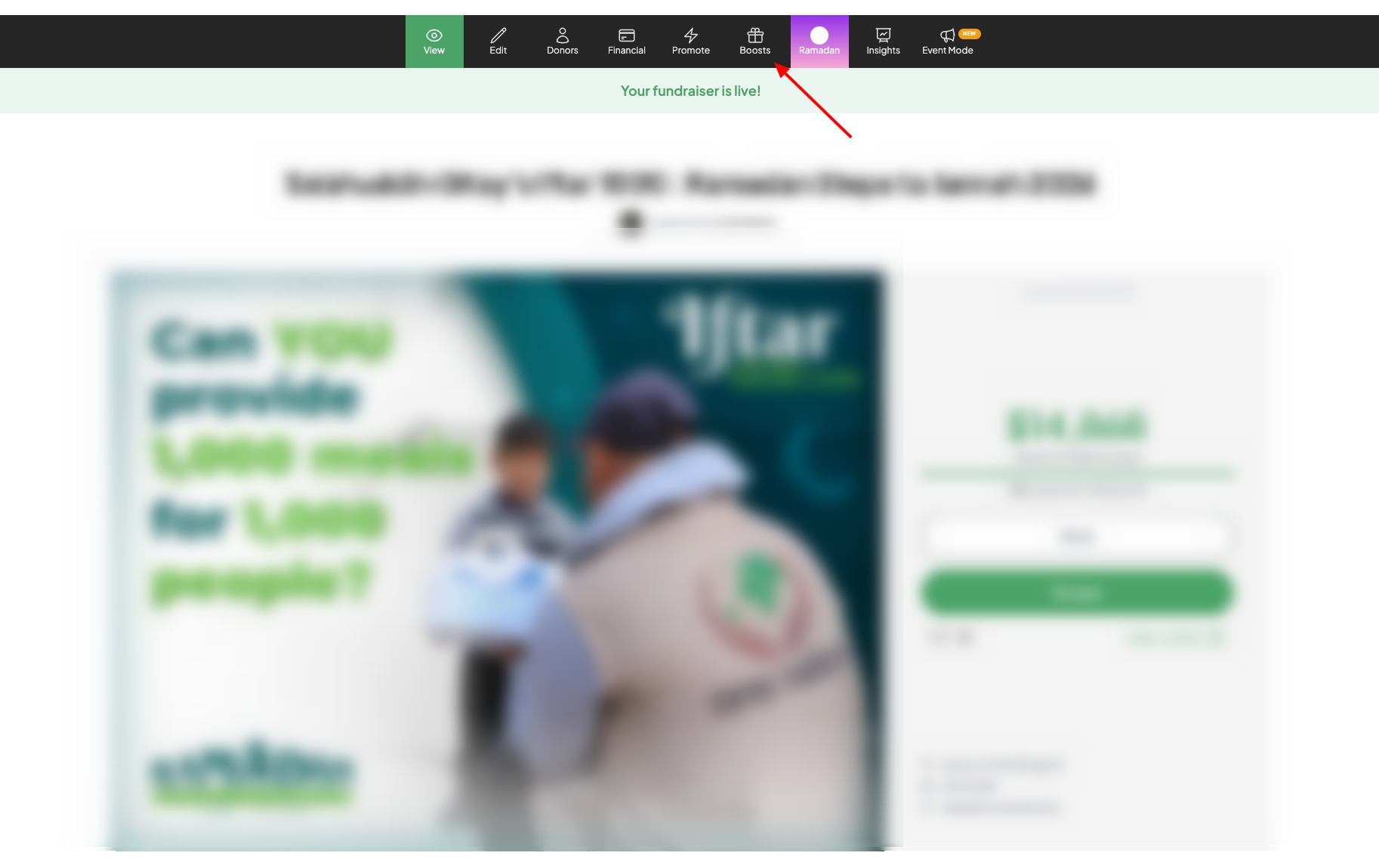
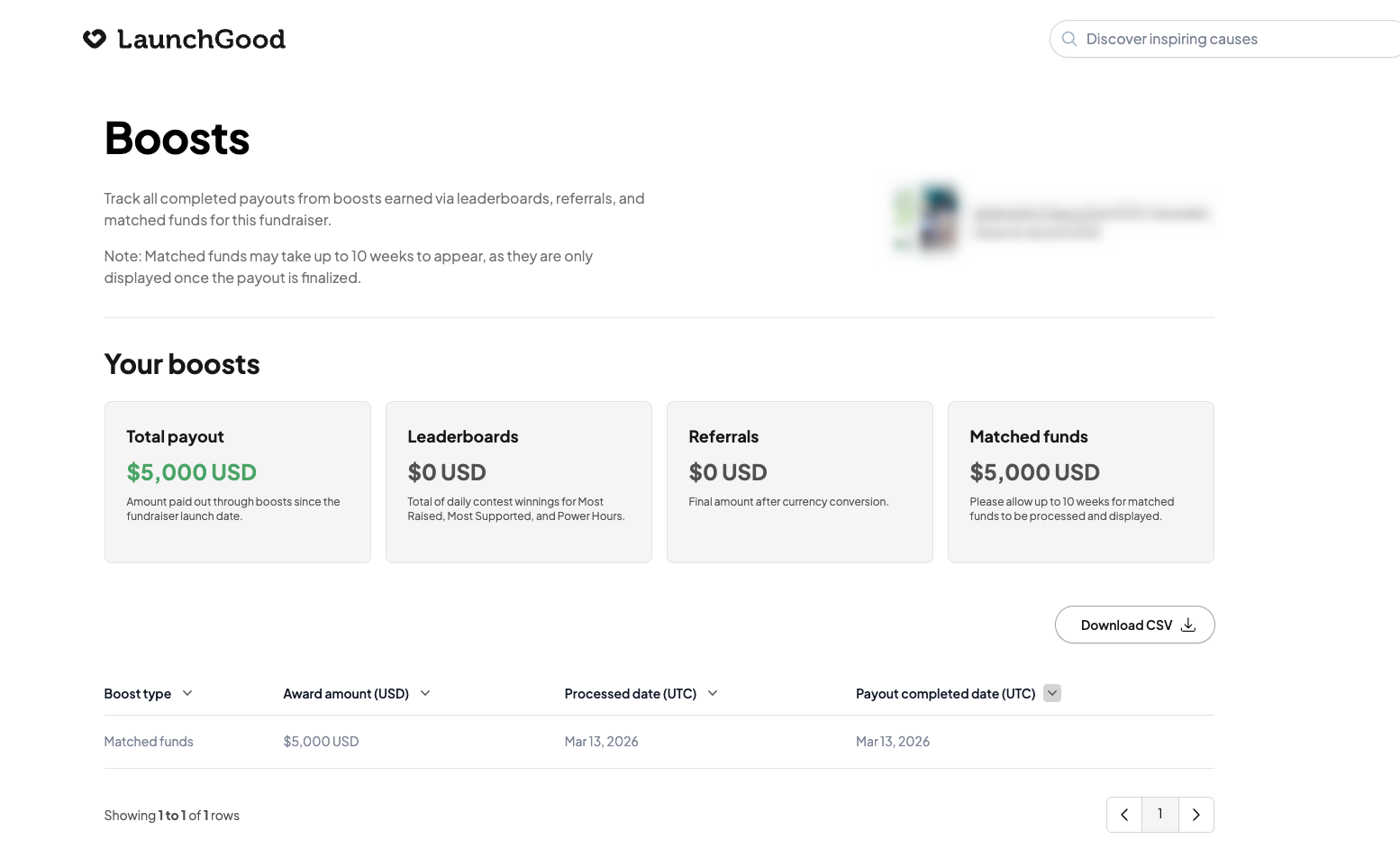
You will be taken to a dedicated page where you can see:
- Your total boost payout
- A breakdown of leaderboards, referrals, and matched funds
- Processing and payout dates for each boost
Key things to know:
- Boosts and prizes were paid out before the end of Ramadan
- They appear as donations on your fundraiser
- This does not mean the funds have been paid out to your bank yet
- Your account manager would have confirmed when these were applied
Checking your Boosts tab will give you a full view of your breakdown.
I purchased Ramadan Ads. What happens next?
Thank you for investing in Ads this Ramadan.
- Your fundraiser may continue to be featured until March 31, 2026
- You will receive an Ads performance report by April 15, inshaAllah
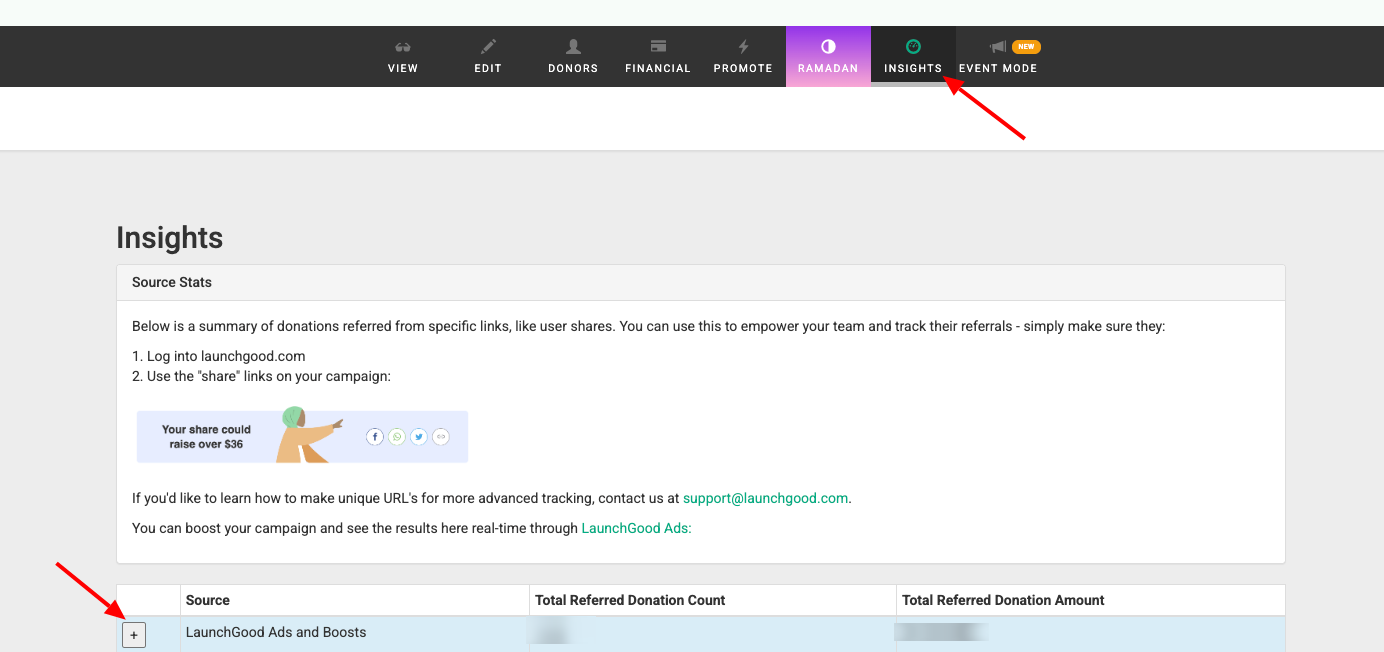
You can also track your results anytime in your Insights tab, where your performance is updated in real time.
Continue your impact with Dhul Hijjah
Dhul Hijjah is one of the most impactful times of the year to fundraise.
You can begin planning early and build on the momentum you created this Ramadan.
See how other fundraisers have successfully grown their impact: Fundraiser success stories and practical tips
Our team will be available from March 30 to support you in preparing for the Dhul Hijjah Challenge.
Stay updated
- Join our announcements channel: LaunchGood.com/LGAnnouncements
- Share your feedback: LaunchGood.com/RamadanSurvey
Staying connected will help you make the most of upcoming opportunities.
Need more help?
For urgent support during the Eid break, contact us at support@launchgood.com
You can also explore:
Thank you again for trusting LaunchGood as your partner this Ramadan. The impact you have created is meaningful, and we are honored to support you.
As you take your next steps, we look forward to continuing this journey with you into Dhul Hijjah and beyond, inshaAllah.